
What is Dockerfile?
Dockerfile
is a set of instruction which will be run to deploy an application.Docker image
is created based on the instruction of docker file.
How to create a Dockerfile to build a docker image
First we
need to create dockerfile which is filled by a set of instruction as below.
#touch dockerfile
Then edit
the dockerfile and add the below lines.
FROM
centos
MAINTAINER
abc@email.com
RUN yum
update
RUN yum
install –y httpd
CMD
"<your message>”
From the above line indicates
that:
FROM : from which base
image docker image will be created.
MAINTAINER: who is
maintain the dockerfile.
RUN: run defined set
of instruction which use to un the command and create the docker image.
CMD: message for the
user.
Build docker image from dockerfile
To build docker
image from dockerfile we need to execute the below command.
#docker build -t
centos-apache:v1 <dockefile location>
Sending
build context to Docker daemon 3.072kB
Step 1/3
: FROM centos
latest:
Pulling from library/centos
a02a4930cb5d:
Pull complete
Digest:
sha256:184e5f35598e333bfa7de10d8fb1cebb5ee4df5bc0f970bf2b1e7c7345136426
Status:
Downloaded newer image for centos:latest
---> 1e1148e4cc2c
Step 2/3
: MAINTAINER abc@email.com
---> Running in 0ab288df423f
Removing
intermediate container 0ab288df423f
---> a6f733efac95
Step 3/3
: RUN yum install -y httpd
---> Running in 51fd64d94a5e
Loaded
plugins: fastestmirror, ovl
Determining
fastest mirrors
Installed:
httpd.x86_64 0:2.4.6-88.el7.centos
Complete!
Removing
intermediate container 51fd64d94a5e
---> 835398195c98
Successfully
built 835398195c98
Successfully
tagged centos-apache:v1
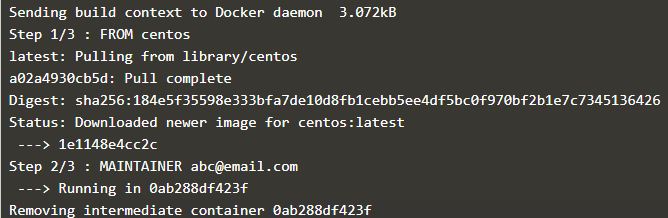 |
| Build docker image from dockerfile |
From the above command
indicates that:
-t: mentin the tag to
the image
Centos-apache:
centos-apache is the image name .
V1: v1 is the tag of
the image.
<dockerfile
location>: location of the docker file.
After executing the above
command we verify the images using the below command.
#docker images
REPOSITORY TAG IMAGE ID CREATED SIZE
centos-apache v1 835398195c98 2 minutes ago 305MB
That’s all. If this
article is helpful to know about Dockerfile and Build docker image from docker file please share it!!!!